R on RStudio
Introduction to R and RStudio
R is a powerful programming language and software environment specifically designed for statistical computing and data analysis. It provides a platform for data manipulation, calculation, statistical analysis and data visualisation.
RStudio is an integrated development environment (IDE) for R, providing a user-friendly interface that enhances the R programming experience
Installation Guide
- Download and install R from https://cran.rstudio.com/
- Download and install RStudio from https://posit.co/download/rstudio-desktop/
- If you have already installed R and RStudio for some time, you might want to update them.
- Update RStudio: Locate Help tab in RStudio and click Check for Updates. If it’s not the latest version, download and install RStudio again using the link above.
- Update R: Run the following commands on RGui:
- If you have already installed R and RStudio for some time, you might want to update them.
install.packages("installr")
library(installr)
updateR()
If prompted to choose CRAN mirrors, just select any of the Australian for the fastest installation.
- Install recommended packages by running the
installation.packages()command on the RStudio Console or locating Tools tab and then Install Packages.
| Package | Description |
|---|---|
swirl |
Free R interactive lessons right in the Rconsole |
tidyverse |
Collection of packages designed for data science |
rmarkdown |
Creating dynamic documents in R. Combine text, code, and output in a single document. |
knitr, markdown, tinytex |
Enhance R Markdown experience (knitr: report generating engine, markdown: HTML conversion package,tinytex: LaTeX distribution (optional) |
To collectively install every recommended packages at once:
install.packages(c("swirl", "tidyverse", "rmarkdown", "knitr", "markdown", "tinytex"))Installation of Rtools is optional.
Setting up a working environment
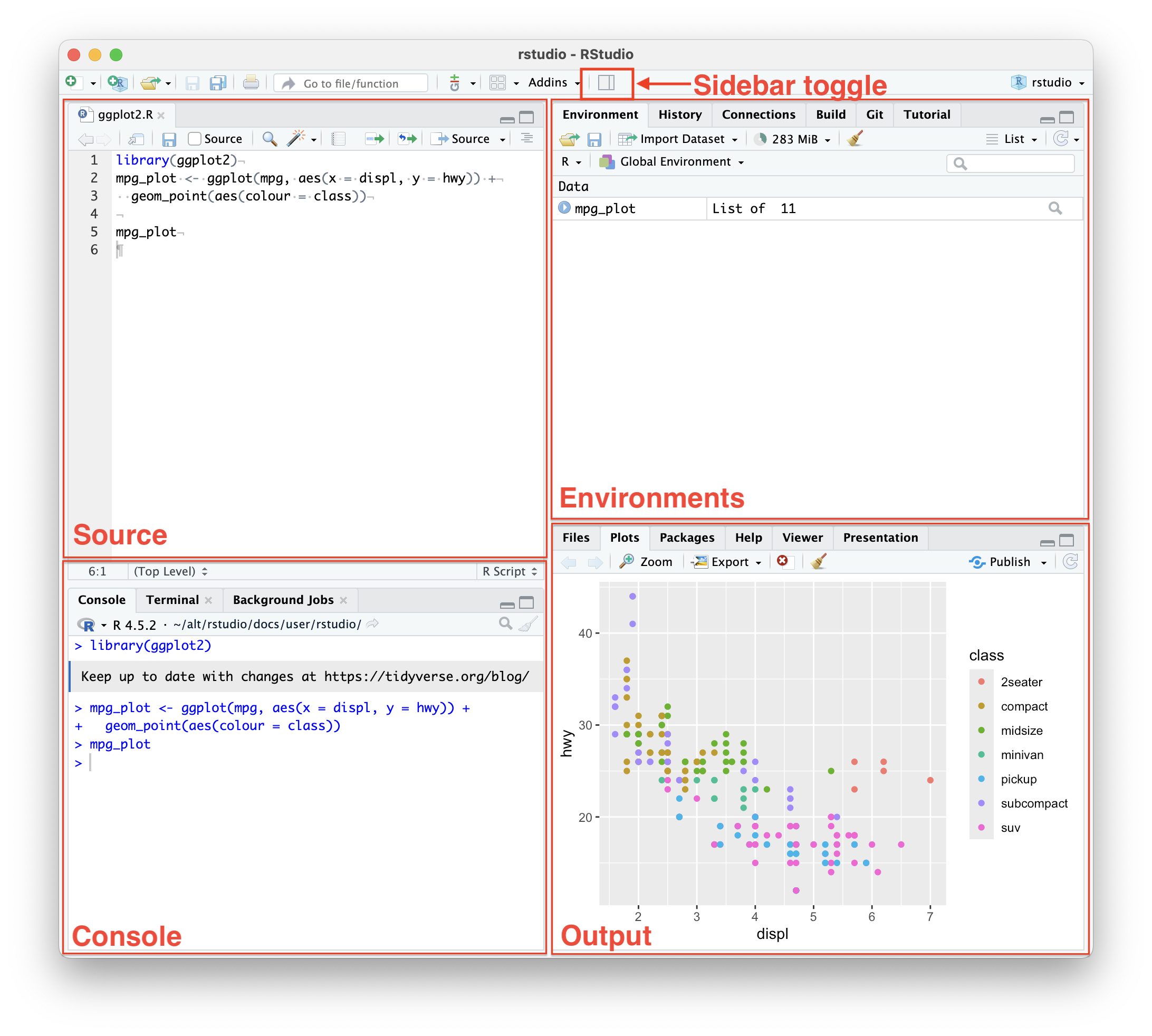
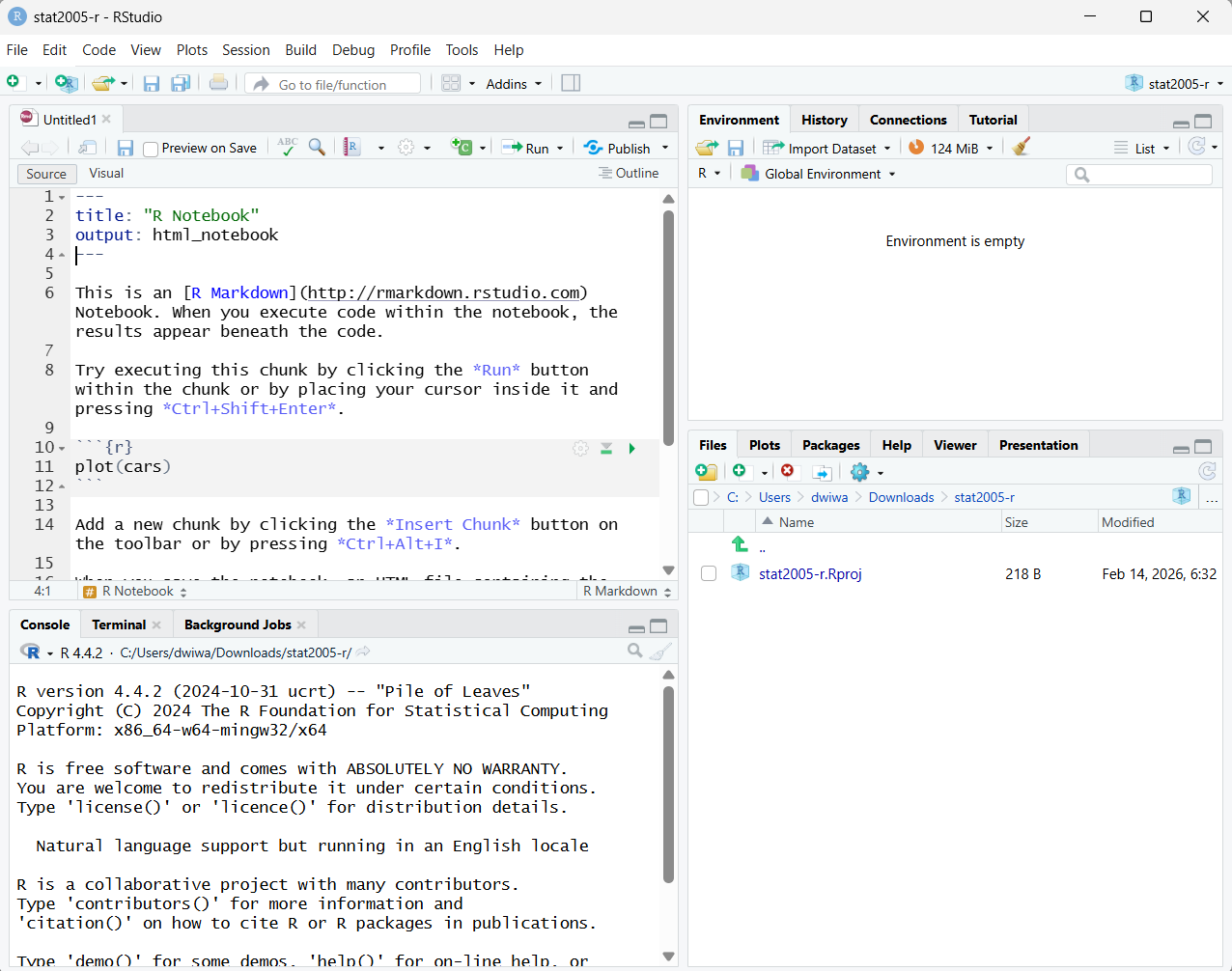
- Create a new project under your directory: File → New Project. The Output pane (bottom right panel) will now switch to Files tab, showing your current directory.
- Create a new R Notebook or download lab sheet
ws01-r.Rmdfrom BB and save it. - (Optional setup) In the top-left of the notebook interface, tick Preview on Save box.
- (Optional setup) In the top-left of the notebook interface, click on the setting/gear icon → Preview in Viewer Pane
To convert an R Notebook (an
.Rmdfile) to an HTML file, you can use the “Knit” button in RStudio or thermarkdown::render()function in the R console.- Also, ensure that your document has the correct YAML header. For an HTML output, the YAML metadata at the top of your file should look something like this:
---
title: "My Notebook"
output: html_notebook
---
User Interface
References
R R Core Team. (2024). R: A language and environment for statistical computing. https://www.r-project.org/
RStudio Posit Software, PBC. (2024). RStudio: Integrated development environment for R. https://posit.co/products/open-source/rstudio/
R Markdown Allaire, J. J., Xie, Y., McPherson, J., et al. (2024). R Markdown: Dynamic documents for R. https://rmarkdown.rstudio.com/
knitr Xie, Y. (2024). knitr: A general-purpose package for dynamic report generation in R. https://yihui.org/knitr/
Markdown Gruber, J. (2024). Markdown. https://daringfireball.net/projects/markdown/
tinytex Xie, Y. (2024). tinytex: A lightweight, cross-platform, and portable LaTeX distribution. https://yihui.org/tinytex/
tidyverse Wickham, H., Averick, M., Bryan, J., et al. (2019). Welcome to the tidyverse. Journal of Open Source Software, 4(43), 1686. https://doi.org/10.21105/joss.01686
swirl Kross, S., & Carchedi, D. (2024). swirl: Learn R, in R. https://swirlstats.com/